Why I started
My mom is getting older and her garden is getting bigger than she can comfortably manage. It is the thing she loves most and I live too far away to help with it week to week. Every phone call ends the same way: the tomatoes need tying up, the beds need weeding, something needs carrying from one end of the garden to the other and she is doing it alone.
I cannot be there, but I can build things. So I kept coming back to one question: could I build a robot that lives in her garden and that I can drive from my laptop, hundreds of kilometres away, to do the heavy, repetitive parts for her?
This post describes the first step: a robot that moves, streams video and takes commands remotely. It cannot do any gardening yet, but it is a base that I can build on.
The robots that inspired me
For about a year before I ordered a single part, I kept running into robots doing real work in public. Each one helped answer a question I had been asking myself. I collected photos of them on my phone; they are below, folded away so the post stays readable.
The robots that inspired this project (click to expand)
An autonomous cleaning robot in a shopping centre
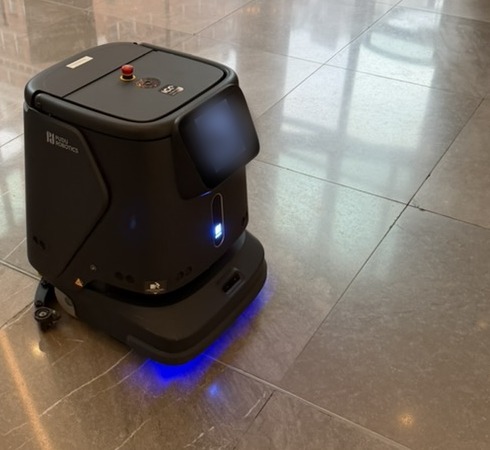
A floor-cleaning robot doing its rounds while people walk around it.
This robot was cleaning a marble floor while shoppers walked around it without paying attention. What struck me was how ordinary it looked. It had a big red emergency stop on top, a screen showing its status and it did a dull, repetitive job on its own. Weeding and watering are exactly that kind of job.
A quadruped walking around an office
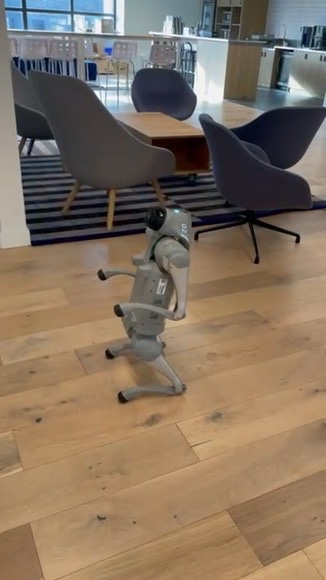
A four-legged robot picking its way across an office floor.
Legs are useful in a garden, which has steps, uneven soil and slopes. I watched this one balance and turn on the spot and thought about how it would handle wet grass. I decided to start with wheels and consider legs later, once the software is reliable.
A robot arm driven through a VR headset
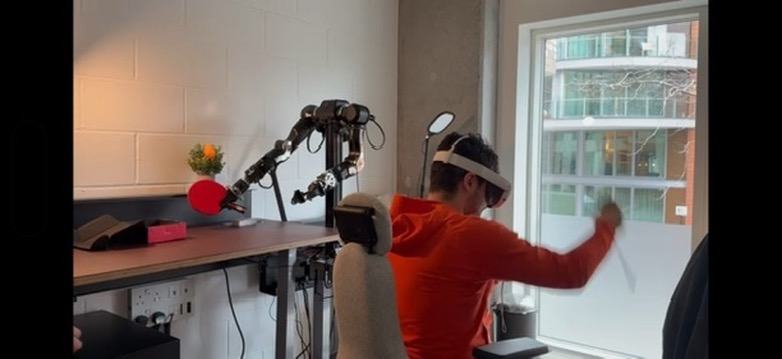
An operator wearing a headset and a two-armed robot mirroring their movements in real time.
This robot changed my plan. The operator was in the room, but they did not have to be. If a person’s hand movements can drive an arm with low enough latency, then my mom’s garden and my desk only need a good enough network link between them. Teleoperation, not full autonomy, became the goal for version one.
A sidewalk delivery robot
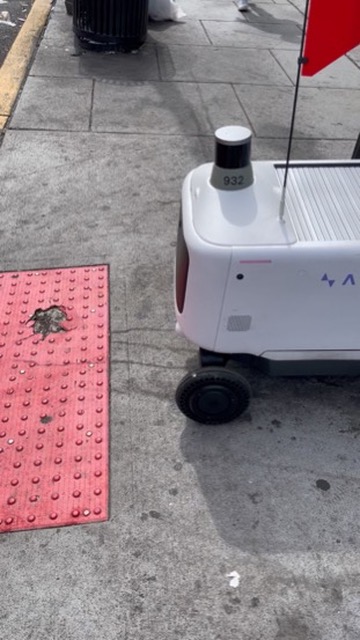
A delivery robot waiting at a crossing, flag up so drivers can see it.
Small, six-wheeled, weatherproof and out in the real world all day. It carries a payload from A to B on rough pavement, which is more or less what “carry the watering can to the far bed” is. The form factor of my robot owes a lot to this one.
Robotic surgery
I have no photo for this one, but it belongs on the list. Surgical robots let a surgeon operate on a patient with instruments they are not touching directly, sometimes from another room. The surgeon gets video, the robot gets precise commandsand the whole thing works because latency is low and the link is trusted. If that level of remote precision is possible for surgery, driving a robot around a vegetable bed from another country should be achievable with careful engineering.
All of these robots have the same loop in common: a camera on the robot, a human somewhere else, commands going one way and video the other. I built this loop first.
What I actually built
I wanted the cheapest possible platform that could survive a garden and carry a real payload later, so I went with a six-wheel-drive chassis with three motors per side. The brain is a Jetson Nano, chosen because it can run a camera pipeline and, later, vision models on the robot itself.
The Jetson does not have enough hardware PWM pins to drive motors directly, so a small PCA9685 board sits between the Jetson and the motor driver. It talks to the Jetson over I2C and generates the PWM signals. A dual H-bridge driver turns those signals into current for the motors, powered by a separate 6 V NiMH pack so a stalled motor can never brown out the computer.
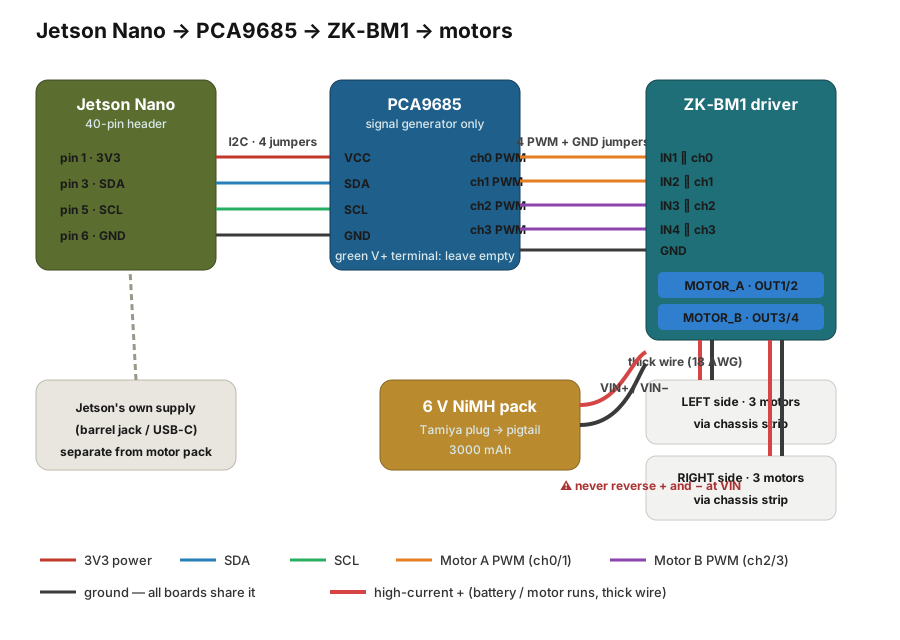
The full wiring. Four I2C jumpers on the left, four PWM lines in the middle, thick wire and a battery on the right.
The first wheel test
The moment I remember most is the first time a wheel turned. The chassis was on the desk with the wheels off the ground, the Jetson was on a cardboard box behind it and jumper wires were everywhere. I had written a small Rust command-line tool with subcommands like forward, left and stop, each starting at a low duty cycle. When I ran forward and the left side spun, I shouted out loud.
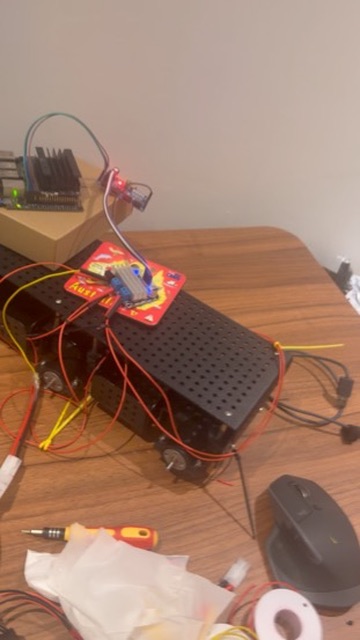
Wheels up, wires everywhere, first successful motor test.
Every subcommand in that tool stops the motors before it exits, including on Ctrl+C. The PCA9685 keeps generating PWM after the process dies, which I learnt by making a mistake. The battery master switch is the real emergency stop.
Driving it around the flat
Once the drivetrain worked, the chassis went on the floor and I drove it from my laptop over a single Ethernet cable. It does not look good, but it is fast and it climbs over door thresholds easily.
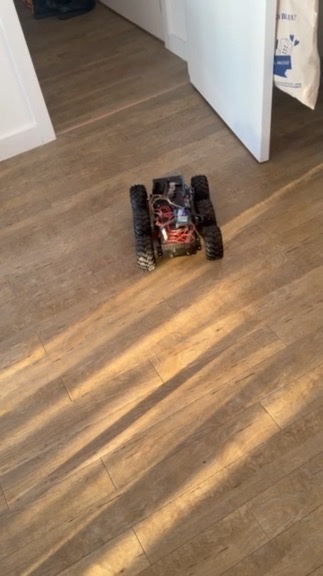
First lap of the flat. The garden is going to be harder.
The software, in plain terms
All of the software is written in Rust. I chose Rust because the robot side has to run unattended for hours on a small computerand I wanted the compiler to catch bugs that could otherwise make the robot drive into a flower bed while my video feed is frozen.
The code is split into a few small programs that talk to each other:
- The publisher runs on the Jetson. It captures camera frames, sends them out and listens for driving commands. It is the only program that touches the motors.
- The web console runs on my laptop. It serves a page in the browser with the live video and a driving controland it forwards my keystrokes to the robot.
- A terminal viewer for testing, so I can check the link works before opening a browser.
They communicate over Zenoh, a pub/sub messaging system designed for this kind of traffic between edge devices and operators. The robot publishes video frames on one topic and telemetry on anotherand subscribes to a velocity command topic and an emergency stop topic. Each driving command is a tiny JSON message with a forward speed and a turn rate, both normalised to the range minus one to one, plus a sequence number and a timestamp. The robot echoes the timestamp back in its telemetry, so the console can measure round-trip latency against its own clock and show it to me while I drive.
The video pipeline is built around GStreamer, which is hardware accelerated on the Jetson. Right now the frames go across as plain JPEGs, which is enough for driving around a flat.
Between the commands and the motors there is a safety layer, which I consider the most important part of the software. If the robot stops receiving commands for a short window, a watchdog stops the motors. The emergency stop latches, so the robot stays stopped until I explicitly re-arm it. A slew limiter prevents sudden full-throttle commands from straining the motors and wheels.
It already works remotely
Today the robot and my laptop are connected over a direct cable, with my Mac sharing its internet connection to the Jetson. Zenoh discovers both ends automatically on the local network and nothing in the code cares whether the other side is a metre away or a continent away. That was a deliberate design choice from day one.
The next step is to run a small Zenoh router on a cloud virtual machine. The robot and the console both dial that router instead of each other and the link works from anywhere with internet. Nothing on the robot changes except the address it connects to.
After that comes the part I care about most. My mom’s village has patchy broadband and Starlink is the realistic way to get a usable link into a garden there. Satellite links have specific problems: latency spikes, brief stalls and changing bandwidth. I have already built a chaos proxy that injects delay, jitter and disconnects into the link so I can watch how the stack copes and the publisher can step its video bitrate down when the link degrades. The goal is for the robot to handle a bad link safely rather than behave unexpectedly in the middle of the lettuce.
What is next
The robot is only a base for now. These are the things I want to add, roughly in this order:
- Internet teleoperation through a cloud router, then over Starlink.
- A camera on a mast so I can actually see the beds, not just the ground in front of the wheels.
- A simple payload first: carrying a watering can or a basket from one end of the garden to the other on command.
- An arm and the inverse-kinematics work I have already started for it, so I can reach into a bed and pull a weed.
- Small autonomous behaviours like following a path between beds, so my mom can send it off with one button press instead of waiting for me to drive.
I do not know how far this project will go. However, the first time I drive it around her garden while she watches from the kitchen window, it will already have been worth the effort.